Your club’s work,
on the record.
One place to run your meetings, verify volunteer hours, and make sure every student gets credit for what they actually did.
Runs on your school’s own sign-in Works alongside Google Classroom
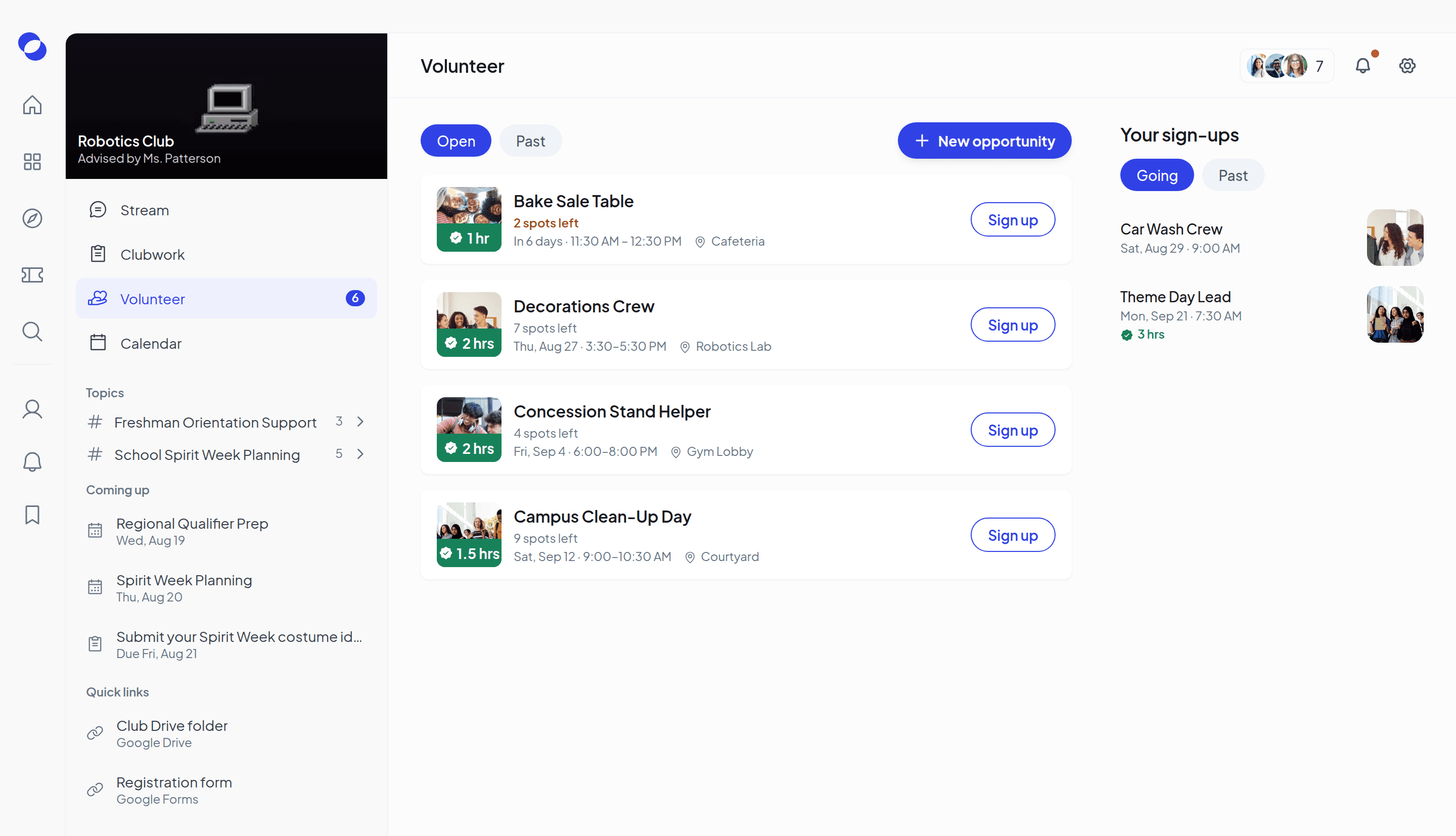
One home for everything your club does
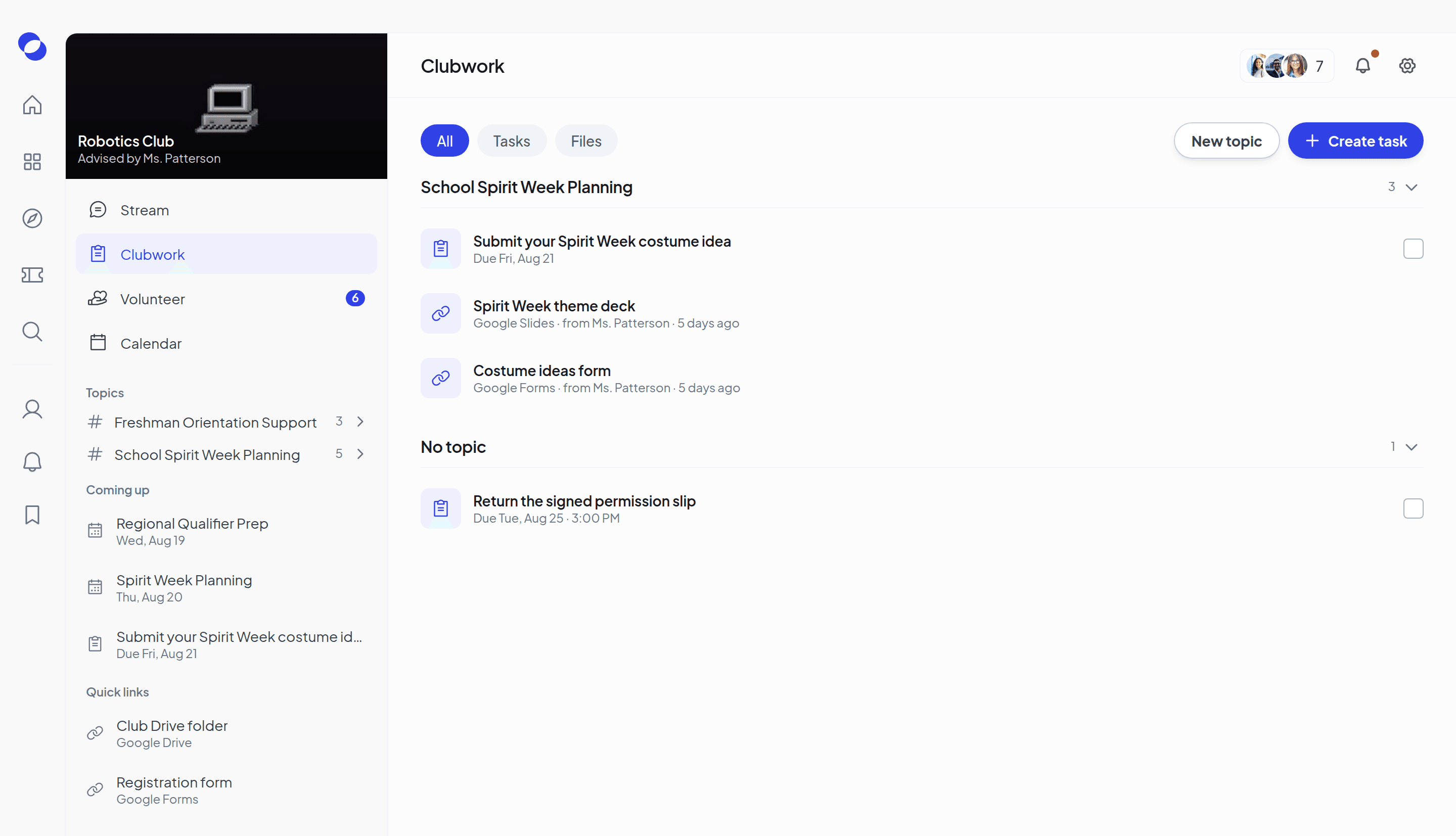
Announcements, polls, Drive files and links in one feed. Everyone sees what’s new, and what’s due, in the same place.
Give members tasks with due dates, and keep every file and link grouped by topic, so September’s permission slip isn’t buried by October.
Post a job, set the hours it’s worth, and watch students sign up. When the work is done, you verify the hours.
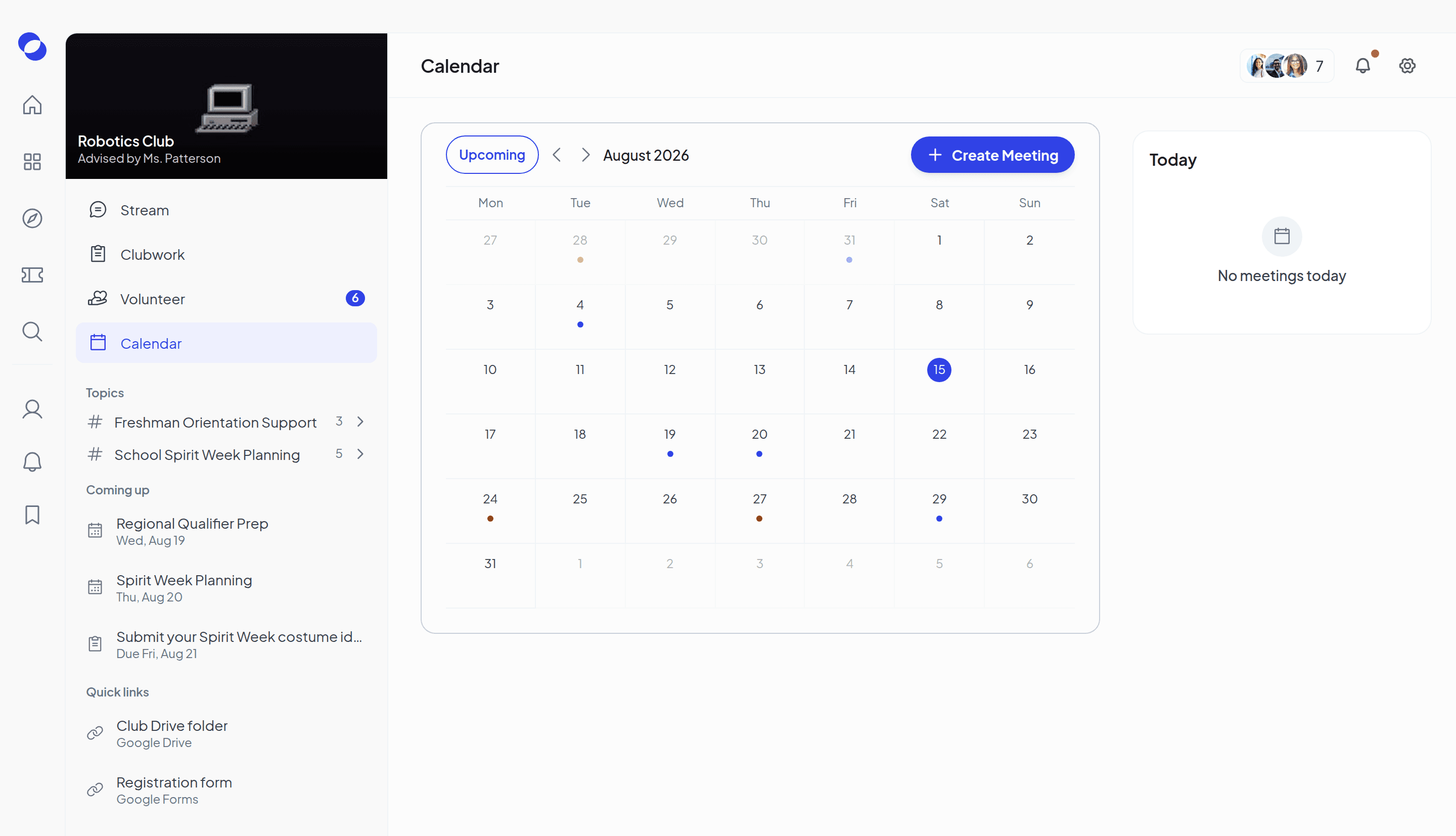
Put a meeting on the calendar once. Students get the reminder, and a heads-up if anything changes, without you chasing anyone.
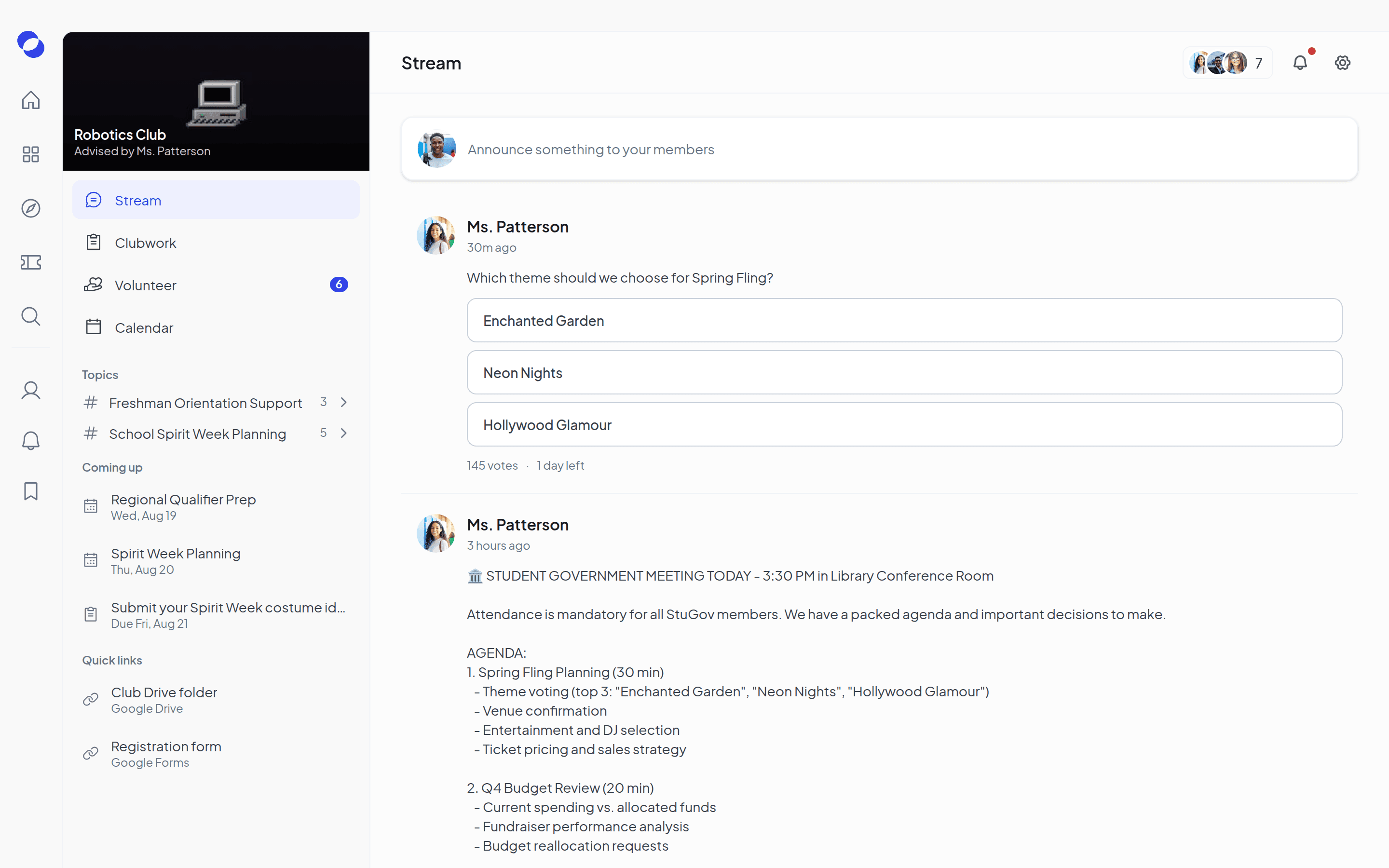





Works alongside the tools your club already uses
Involve doesn’t replace Google Classroom, Word or Forms. Share a file or link on any post, task or opportunity, and your club keeps working where it already does.
Meetings with a record that holds up
Put meetings on the calendar, take attendance in the app, and keep one record, not sign-in sheets and photos of sign-in sheets.
You’re the
reason it
counts.
Every hour you verify goes on a student’s record. The one they’ll take to college applications, scholarships and NHS.
You post the work. Students do it. You make it count.
Turn a need into an opportunity
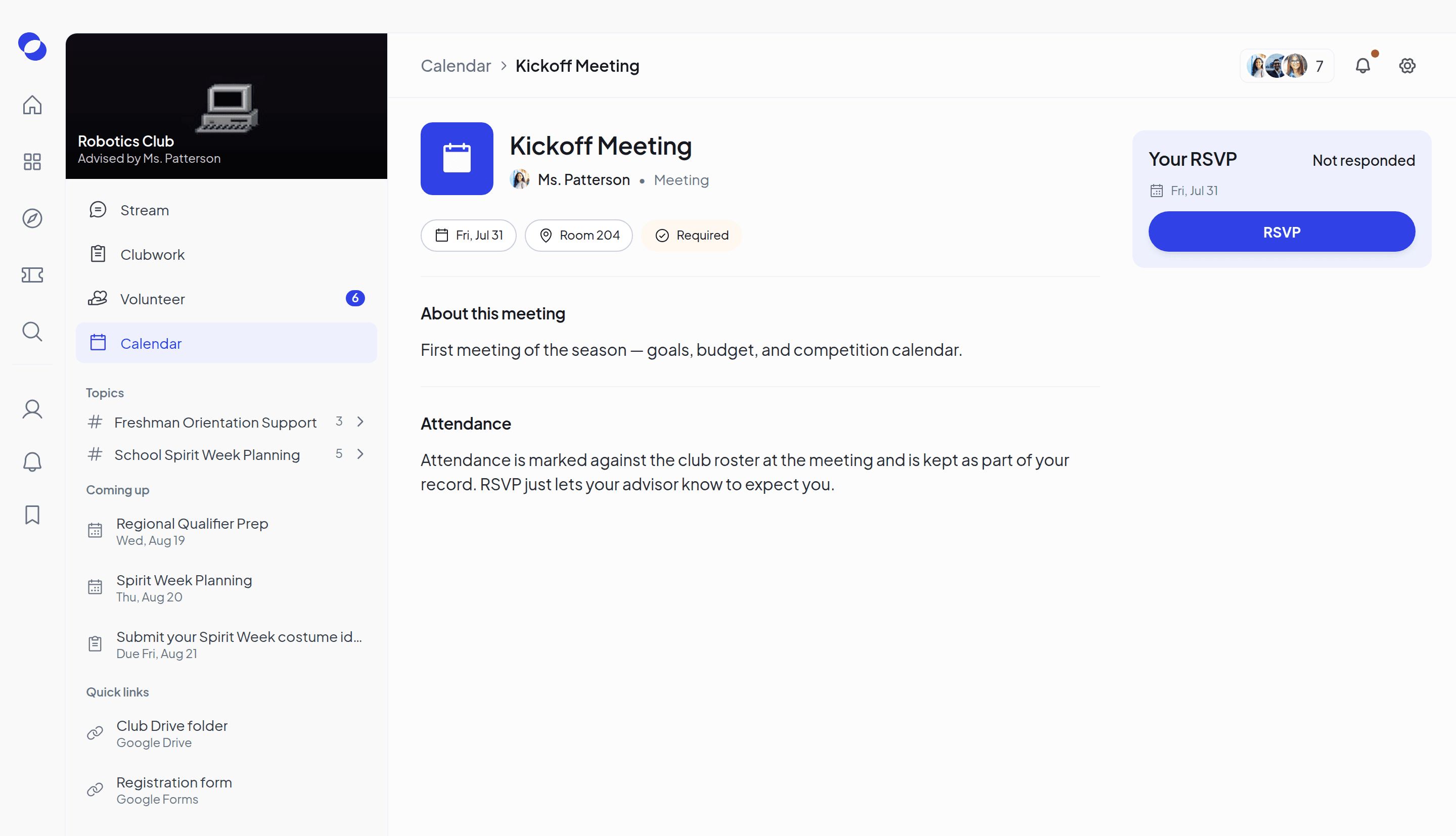
Create a volunteer opportunity, set what it’s worth in hours, and post it to your club. Students see the reward before they sign up.
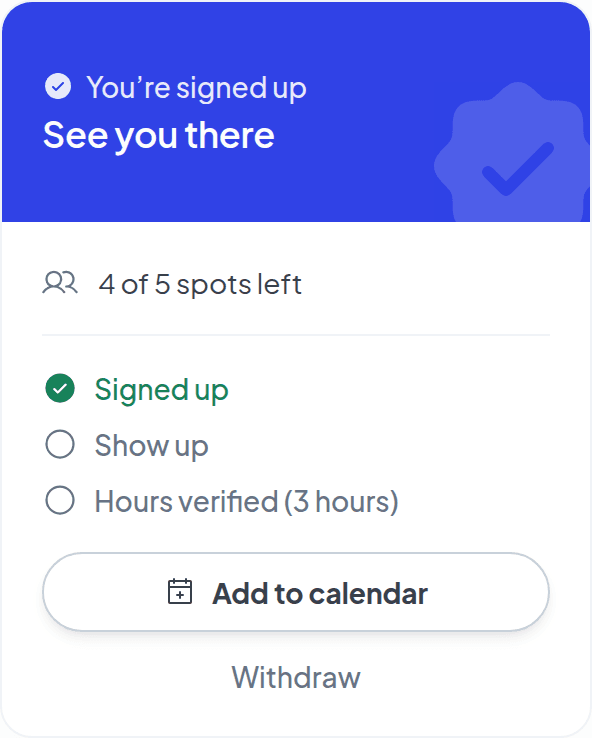
Students sign up in one tap
Right on the card, where they see it, with the spots left shown. No sign-up sheets, and no one asking you who’s in.


You confirm the work. They keep the credit.
When it’s done, you verify the hours and they’re credited to the student’s profile. Nothing to chase now, nothing to reconstruct later.


Let student leaders run it. Stay in the loop.
Promote the students who show up, and let them post, plan and organize. You can see everything that happens, and you decide whose hours count.
Safe by design
Built for the responsibility of advising a club
Student safety isn’t something we added later. It’s how Involve is built.
What you record, like attendance and verified hours, also feeds your school’s engagement analytics. Read how it works.
You verify every hour
A contribution only counts once an advisor has verified it. Nothing lands on a student’s record without you.
Every post has a true author
Whoever writes a post is recorded, even when it’s posted as the club. Nothing happens anonymously.
No private messages
There are no direct messages in Involve, one-to-one or in groups. Conversations happen where the club can see them.
School accounts only
Everyone signs in with their school Google account. There’s no way in with an outside email.